
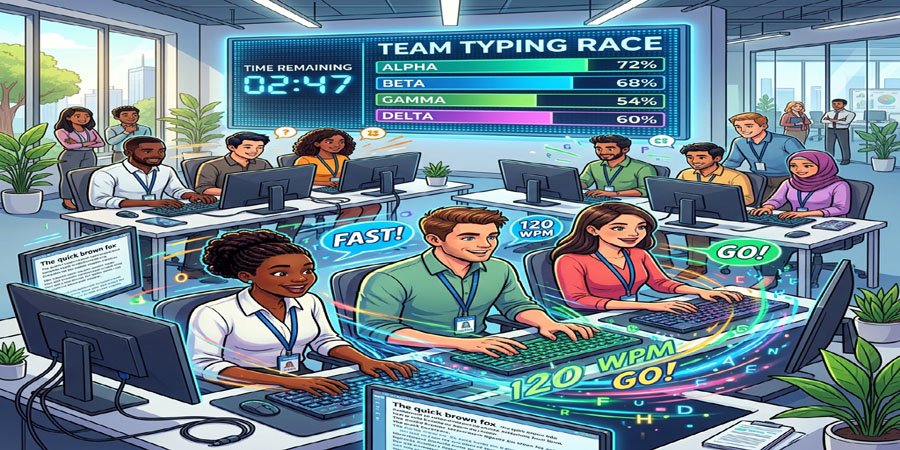
Do you want to conduct the Typing Race Game with your teams?
This activity combines repetition, quick feedback, focused attention, and light competition. Teams build keyboard skills by practicing short timed tasks with clear rules, immediately seeing results and adjusting right away. The shared challenge energizes the group while keeping things simple. In the workplace, this approach builds confidence, sharpens focus, and makes regular skill practice enjoyable for everyone.
In this article, let’s see how you can conduct this activity with your teams.
Here is an overview of the sections in this article:
- Objective of the Activity
- 5 Variations of the Typing Race Game
- Tips for Successful Facilitation
- Frequently Asked Questions about the Exercise
So, let’s get started!
Objective of the Activity
The Typing Race Game goes beyond a simple contest. It offers a focused and practical way for people to boost useful workplace skills within a lively and engaging format. This activity brings together fast-paced learning, healthy competition, and the chance to discover areas for personal growth.
Let’s look at the key objectives of this activity.
Improve Typing Speed
A primary objective is to help participants build typing speed. Timed rounds encourage quick, efficient movement across the keyboard. As team members repeat the exercise, they start to develop a natural rhythm, allowing them to draft emails, update documents, and fill forms faster. That increase in speed benefits daily productivity and lets people handle digital tasks with more confidence.
Strengthen Accuracy
While speed is important, the game’s rules help participants understand that accuracy matters just as much. By tracking both correct and incorrect keystrokes, the exercise encourages a careful approach. Participants see how small mistakes can slow overall performance and learn to prioritize clean, error-free text. This skill transfers directly to many workplace tasks, where a single typo can change the meaning of a message or make extra work for others.
Build Focus Under Pressure
Typing races put people under gentle time pressure, which is useful for practicing concentration. During each round, participants must read, type, and watch the timer, forcing them to tune out distractions and focus intensely for a short period. This builds mental agility and attention control, two qualities that help during busy days filled with shifting priorities.
Encourage Positive Interaction
Another important goal is to support positive social interactions. The friendly competition helps break the ice in meetings or training sessions. Laughter over slip-ups and cheers for improvement make the environment welcoming. Colleagues see each other’s progress, celebrate efforts, and build stronger relationships without putting anyone on the spot for long speeches or personal sharing.
Support Digital Confidence
Some employees may feel uneasy using keyboards, especially in front of others. This activity reduces anxiety by making practice feel like a game. As participants see their progress over several rounds, they gain trust in their digital skills. That new confidence often leads to greater willingness to tackle written communication at work, whether it’s writing notes, crafting responses, or maintaining records.
5 Variations of the Typing Race Game
Here are 5 variations of the Typing Race Game for your teams.
#1. Classic Typing Sprint
This is the standard version where all participants type the same short passage within a fixed time. The winner is the person who shows the best mix of speed and accuracy by the end of the round.
Time: 10-20 minutes
Materials: Computers, Passage Sheets, Timer, and Score Tracker
Participants: 3-8 people per group
Instructions
- Give each team the same short passage before the round begins.
- Explain the scoring method clearly. For example, each typing mistake can reduce the final score.
- Start the timer, then ask participants to type the full passage as quickly as possible.
- Review the results after the round, then invite a second round if time remains.
Our Experience While Running This Activity: We found that focusing only on typing speed could lead to more mistakes. Comparing accuracy alongside completion time helped participants see why rushing is not always the most effective approach.
Debrief
- What helped you stay calm while trying to type faster?
- How did you balance speed with accuracy during the round?
- What would you change before your next attempt?
You can also read:
50 Easy Team Building Activities (Workplace)
#2. Relay Typing Challenge
In this version, participants complete one passage by taking turns at the keyboard. It adds coordination to the task because only one person types at a time.
Time: 10-20 minutes
Materials: Computers, Relay Text Sheets, Timer, and Score Tracker
Participants: 3-8 people per group
Instructions
- Give each group one shared passage to complete in sequence.
- Tell participants to switch after one line or one sentence. For instance, each person may type one sentence before rotating.
- Start the timer, then ask the next participant to move in as soon as a turn ends.
- Stop the round when every passage is complete, then compare results based on time and errors.
Debrief
- What made each handoff smooth in this version?
- How did your group respond when a mistake happened mid round?
- What did this activity teach about coordination?
#3. Copy Edit Typing Race
This variation asks participants to type a passage that includes mistakes, then correct those mistakes as they work. It combines fast input with careful reading in one short challenge.
Time: 10-20 minutes
Materials: Computers, Error Filled Text Sheets, Timer, and Scoring Guide
Participants: 3-8 people per group
Instructions
- Provide each group with a passage that includes spelling, spacing, or punctuation errors.
- Explain that the goal is to type the corrected version of the text. For example, a missing capital letter should be fixed during the race.
- Set the timer, then ask participants to begin while checking each line with care.
- Score the round based on completion speed and the number of correct edits.
Debrief
- Which part felt harder for you, typing fast or spotting errors?
- How did this format change the way you approached the task?
- Where could this skill support real work in your setting?
#4. Memory Phrase Sprint
In this format, participants study a short phrase for a few seconds before it disappears. They must then type it from memory with as much accuracy as they can.
Time: 10-20 minutes
Materials: Computers, Phrase Cards, Timer, and Score Sheet
Participants: 3-8 people per group
Instructions
- Show each team a short phrase for a few seconds, then remove it from view.
- Explain that participants must type the phrase from memory as accurately as possible. For instance, one phrase could be “Clear writing saves time.”
- Start the timer, then repeat the process with a new phrase in each round.
- Count exact matches after the final round, then announce the highest score.
A Small Adjustment We Made While Running This Activity: We found that longer phrases made it difficult to distinguish memory challenges from typing difficulties. Using short phrases with similar levels of difficulty helped keep the rounds more consistent.
Debrief
- What memory strategy helped you most during the activity?
- How did time pressure affect your recall?
- What surprised you about your own performance?
#5. Workplace Theme Race
This version uses prompts linked to common office tasks such as meeting notes, client replies, project updates, or service messages. It makes the exercise feel more relevant to daily work while keeping it playful.
Time: 10-20 minutes
Materials: Computers, Workplace Prompt Sheets, Timer, and Score Tracker
Participants: 3-8 people per group
Instructions
- Prepare several short prompts that match the purpose of the session.
- Explain that each group will type a new prompt in every mini round. For example, one prompt could be a short customer reply.
- Run a series of quick rounds so the pace stays lively from start to finish.
- Add the scores from each round, then recognize the highest total at the end.
Debrief
- How did the workplace theme shape the experience for you?
- Which prompt felt most useful for real tasks?
- How could you adapt this version for your own workplace?
Want to Develop Leaders at Every Level of Your Organization?
If you want a practical system to develop leaders at all levels, get this master guide and apply our proprietary ZIGN Framework™ of Leadership:
Looking for Unique Team Building Activities?
If you want unique activities that help your workforce grow through every stage of team development, get this guide:
Need Fresh Team Building Activities Every Month?
If you are a busy leader, get 5 unique, fully customizable activities every month—no preparation or trainer required.
Tips for Successful Facilitation
A strong session depends on clear planning, fair rules, plus a supportive tone. Small choices made by the facilitator can shape whether the activity feels energizing or stressful.
Here are five tips to help you run it well.
Set Clear Rules at the Start
Explain the format before the first round begins. Tell participants how speed will be measured, how mistakes will affect scores, plus how ties will be handled. Clear rules reduce confusion. They also help people trust the process.
Keep the scoring method simple. If the system feels too detailed, participants may focus more on points than learning. A short formula works best. For example, you can count completion time, then subtract a set amount for each error.
Match the Difficulty to the Room
Choose text that fits the skill level of the participants. If the material is too hard, some people may feel discouraged. If it is too easy, stronger typists may lose interest. Short passages with plain language usually work best in mixed settings.
You can also prepare two levels of prompts before the session starts. That gives you more flexibility during facilitation. In mixed groups, this helps keep the challenge fair. It also prevents frustration for beginners while still giving advanced participants something useful to do.
Keep the Mood Light
This exercise works best when the atmosphere stays friendly. Present it as a fun challenge, not a strict test. Encourage quick applause, brief praise, plus supportive comments after each round. That approach helps people feel safe enough to join in fully.
A relaxed tone matters when some participants feel nervous. Not everyone is confident with keyboard tasks. If the room feels welcoming, people are more likely to try their best. They are also more open to learning from mistakes.
Prepare Materials in Advance
Smooth facilitation often comes down to setup. Have the prompts ready before the activity begins. Check that the timer works. Make sure every computer is ready to use. A clean start helps maintain energy in the room.
You should also plan the flow between rounds. Fast resets keep participants engaged. If you need score sheets, place them where they are easy to reach. If you are using printed passages, sort them before the session begins. These small steps save time later.
Use the Debrief With Purpose
The debrief is where the activity becomes more than a race. Ask participants what helped them stay accurate, what caused mistakes, plus what improved their focus. These questions help them reflect on habits that appear during real work.
You can also connect the exercise to daily tasks. For example, ask how the race compares with writing emails under pressure or taking notes in a meeting. This helps participants see the value of the exercise. It turns a short challenge into a useful learning moment.
Final Words
The Typing Race Game is simple, practical, and easy to run in many settings. It helps people practice speed, accuracy, focus, and confidence through a format that feels active. With the right variation, you can match the exercise to different goals, skill levels, and session styles. Clear rules, good pacing, and a friendly tone will make the experience stronger. When used well, this activity can turn routine keyboard practice into a lively shared success.
FAQ: Typing Race Game
You might have these questions in mind.
Is this activity suitable for workplace training?
Yes, this activity works well in workplace training because it is short, simple, and easy to explain. It helps participants practice keyboard use in a focused setting. You can tailor the prompts to fit common office tasks. That makes the exercise feel practical as well as enjoyable.
Can beginners take part in this exercise?
Yes, beginners can join if you choose short passages with simple wording. This lowers pressure in the first round. You can focus on improvement instead of ranking alone. That makes the session more welcoming for people with less typing experience.
How should I score the activity fairly?
A fair system should reward speed while also valuing accuracy. One easy method is to track completion time, then subtract points for mistakes. Share the method before the race starts so expectations are clear. This helps participants trust the results.
What materials do I need to run it?
You only need a few basic items for a strong session. Most setups use computers, prepared prompts, a timer, and a score sheet. Some facilitators also use online typing tools to track results more easily. A simple manual format still works very well.
How can I make the activity more engaging?
You can make it more engaging by using different formats, themed prompts, and short rounds. Relay tasks, memory rounds, and edit challenges can all add variety. A small prize or simple recognition at the end can also lift energy. A thoughtful debrief gives the exercise even more value.
Like this article on the “Typing Race Game for Teams”? Feel free to share your thoughts.
